

Quick: QR code for a link
In the Übersicht (overview), in the menu of a row, click QR-Code. You design it and download it as PNG. It isn’t saved in the process.Saved QR codes
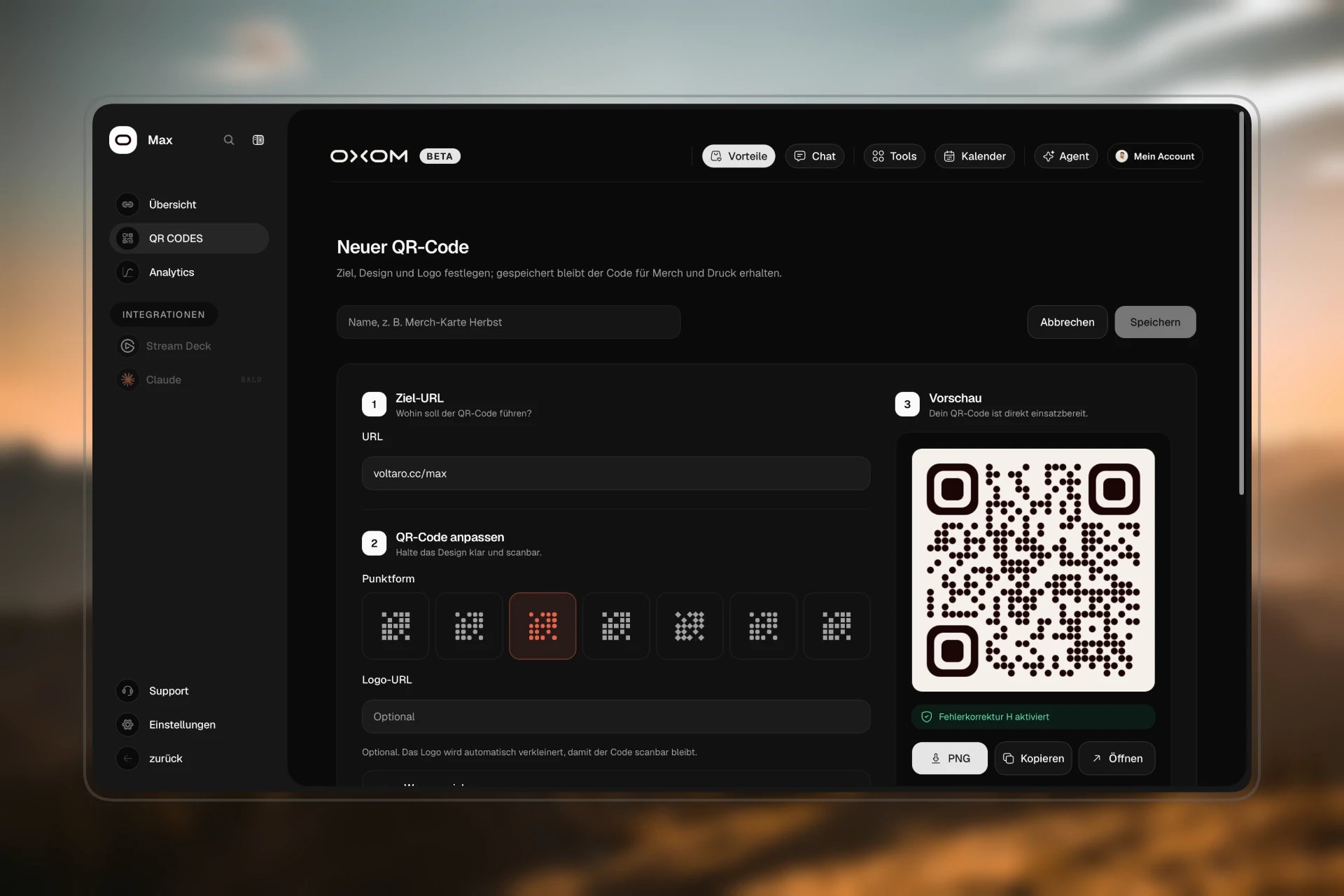
For codes you need longer, e.g. for merch: LINK → QR CODES.1
Create a new code
Click + Neuer QR-Code (new QR code) and enter the Ziel-URL (target URL), ideally your short link.
2
Design
3
Test
Scan the code in the preview with your phone, especially with a logo.
4
Save
Enter a name at the bottom, e.g. “Merch card autumn”, and click Speichern (save).
Many codes at once
Links importieren (import links) on the QR CODES page turns your existing short links into QR codes. Links that already have a code are marked.Good to know
- Deleted QR codes are gone, there is no restore. The short link itself stays.
- Error correction is at the highest level. So the code still works if part of it is covered by the logo or it is a bit scratched.
- The Code Builder also creates QR codes for you, see Code Builder.